
My email isn't arriving or ends up in spam: here's how to figure it out
Does an email you send not arrive, or does it end up in the recipient's spam? With this step-by-step plan, you can usually find the cause yourself. Go through the steps in this order.
1. Check whether the email was sent and what came back
- Did you get an error message back? Such a bounce comes from Mail Delivery System or MAILER-DAEMON. It almost always states why the email didn't arrive. A code starting with a 5, such as
550 5.1.1, means it was definitively rejected. A code with a 4 is temporary: our server will try again later. You can read what the most common messages mean in Email error messages: Mail delivery failed. - No error message? Look up the email using Email Tracing in DirectAdmin. You'll see whether it was delivered, delayed, or failed, and what the receiving server replied. See Checking whether an email has arrived using Email Tracing.
Was the email delivered according to Email Tracing? Then it has arrived at the recipient's server. Ask the recipient to check their spam folder or Junk Email folder.
2. Check SPF, DKIM, and DMARC
With these three records in your DNS, you show that the email really comes from your domain. If one is missing, your email is more likely to end up in spam or be rejected. Gmail, Outlook.com, and Yahoo in particular are strict about this.
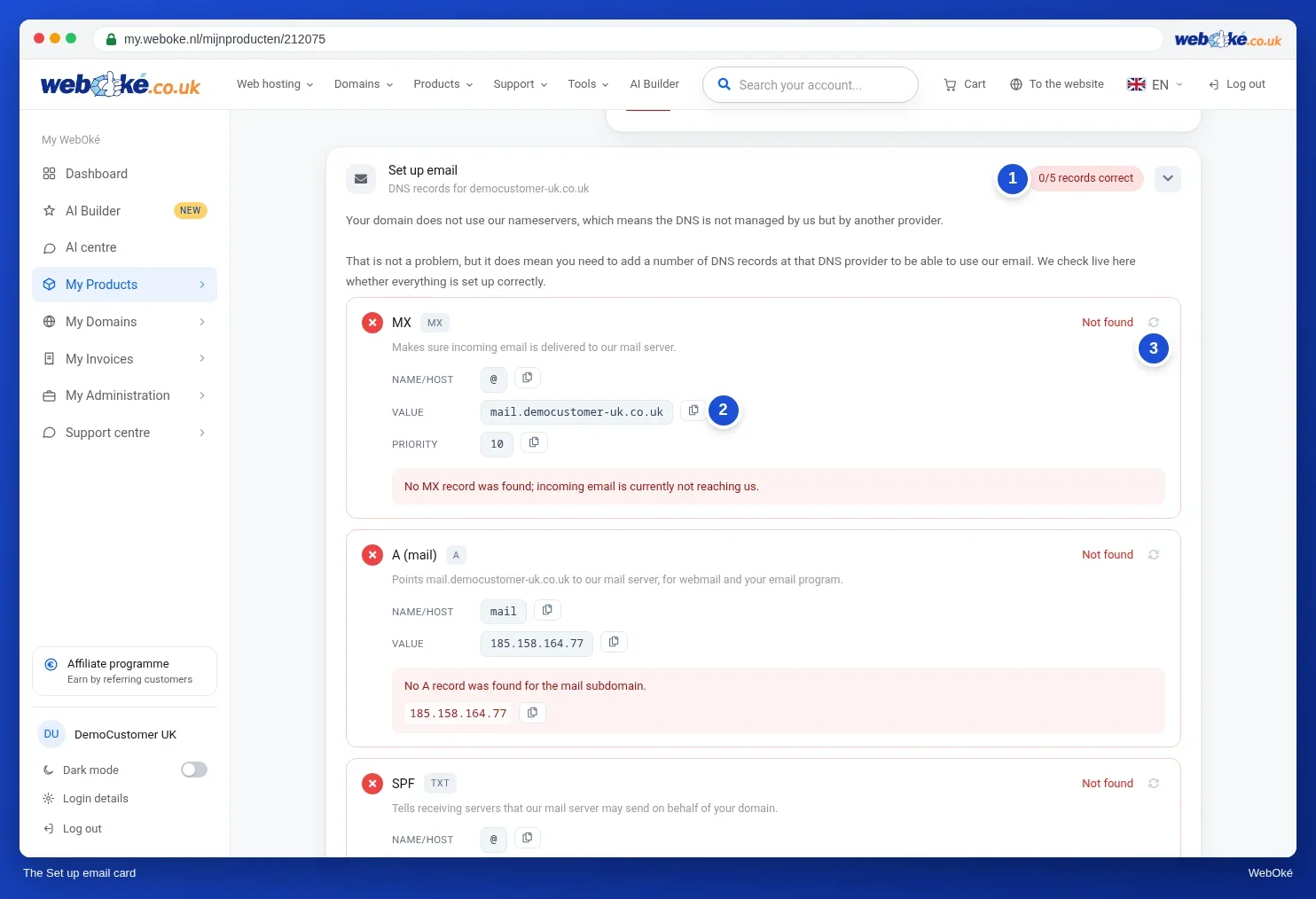
- Open the product page of your package in My WebOké and look at the Set up email card. Are MX, A (mail), SPF, DKIM, and DMARC marked as correct? If not, you'll see exactly which value you need to enter.
- Also check the Domain / Email health card on the domain page. There you can fix a number of issues instantly with a single click.
Don't have an account handy? At www.weboke.nl/en/email-check and www.weboke.nl/en/domain-health you can check any domain for free.
3. Is the mail server on a blacklist?
If the error message mentions something like blocked using, listed at, Spamhaus, or RBL, then an IP address is on a blacklist. The email check also shows this under Blacklist Status.
- Is it a WebOké IP address? We monitor our servers and request removal ourselves. If you notice it first, create a ticket with the full error message.
- Is it the IP address of your own internet connection? Then your mail program isn't sending through our server. Set our mail server as the outgoing server, with login, on port 465 or 587.
4. Mail from your website or contact form
Isn't mail from your website arriving? The form often uses the visitor's address as the sender. That address doesn't belong to your domain, which can cause the email to be rejected or flagged as spam.
- Set a sender from your own domain in the form, such as
info@yourdomain.nl, and put the visitor's address in the Reply-To field. - Have your website send mail via SMTP using a real mailbox, instead of the PHP function
mail(). In WordPress, you do this with an SMTP plugin. See How can I get the correct sender with mail() in PHP? - Is your mail hosted with another party, such as Microsoft 365? Then read Sending mail via PHP doesn't work, the MX records point elsewhere.
5. Other causes
- A lot of mail at once. There's a sending limit of 300 emails per day per package. Send newsletters through a newsletter service.
- The content resembles spam. Just a large image, many or shortened links, or words like FREE in capital letters score poorly.
- You're forwarding to Gmail or Outlook.com. Forwarded mail is often flagged as spam there. It's better to retrieve your mail using IMAP.
- You just made a change to your DNS. A change isn't always visible everywhere right away. Test again after an hour.
- Check your emails from WebOké. If there's a structural problem with mail from your package, we'll send you an email about it, with what you can do.
Can't figure it out?
Create a ticket via the Support Centre. Include the full error message, including the line with the code, and mention the sender address, the recipient's address, and the time of sending. That way, we can look up the email right away.
Also see in the DirectAdmin manual: My email ends up in the recipient's spam, Sending rejected: blacklists and limits, and Sending or receiving doesn't work: how to fix it.
Detailed explanation with screenshots: Email not arriving: checking it yourself and Domain and email health: checking and repairing in the WebOké manual.